
Smaller tools I built to learn something specific or scratch an itch: a sorting algorithm visualizer and a visual table editor. Each one is live, small enough to read in an afternoon, and gets its own corner of this page.
- Year
- 2024 - 2025
- Role
- design, backend, frontend
- Status
- live
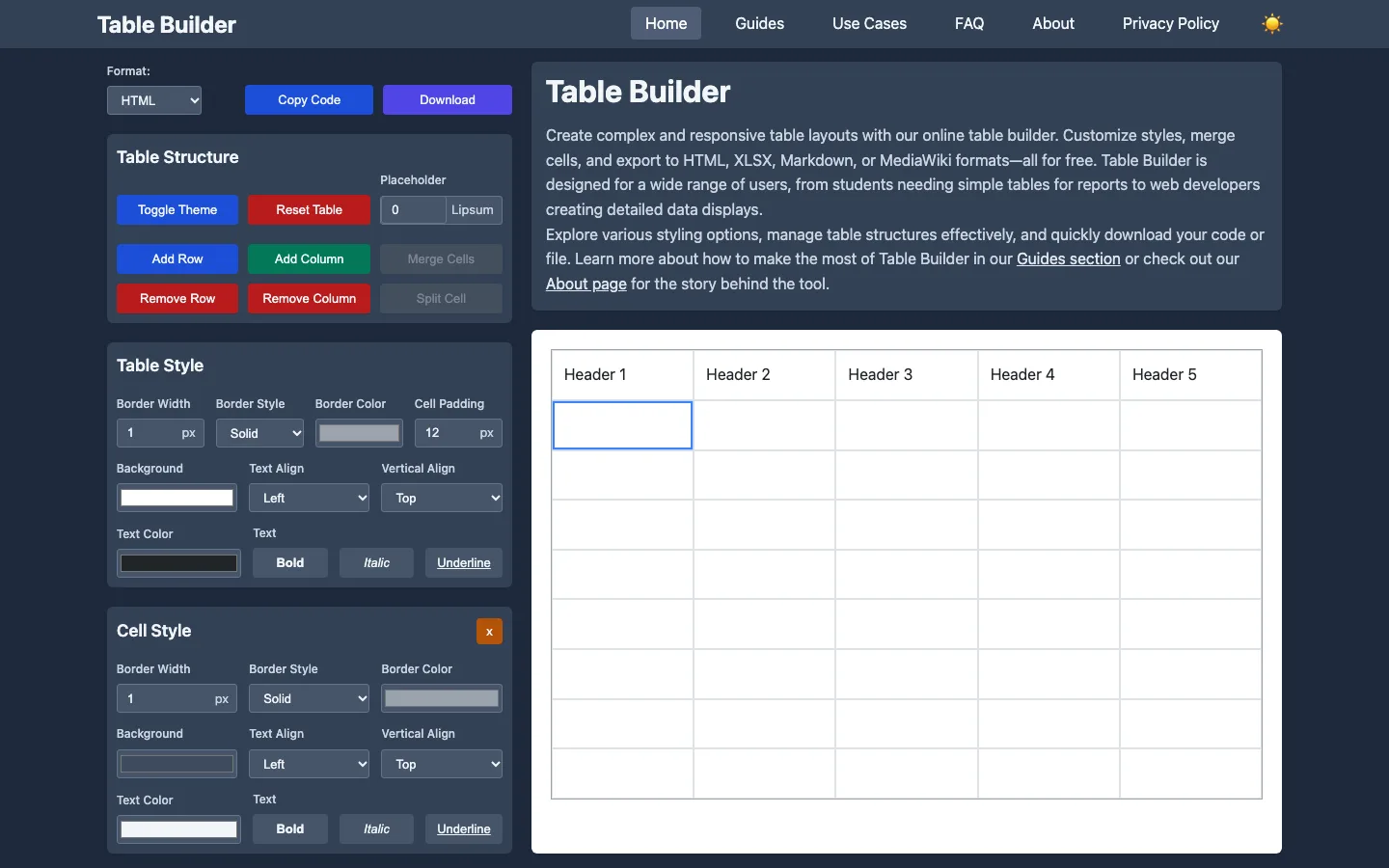
- Table Builder: the editor with global table styles on the left
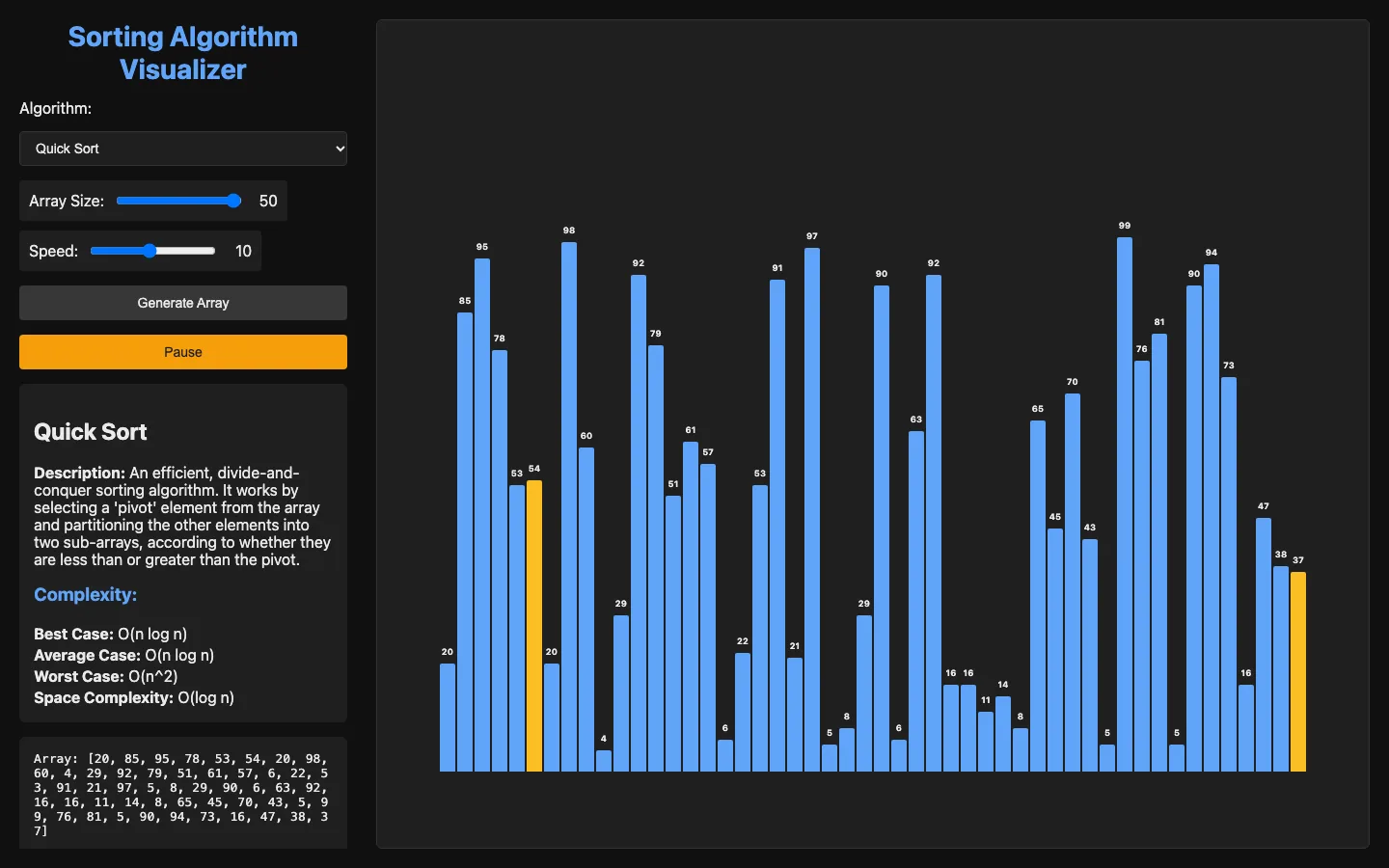
- Sorting Visualizer: quick sort halfway through a 50 element array
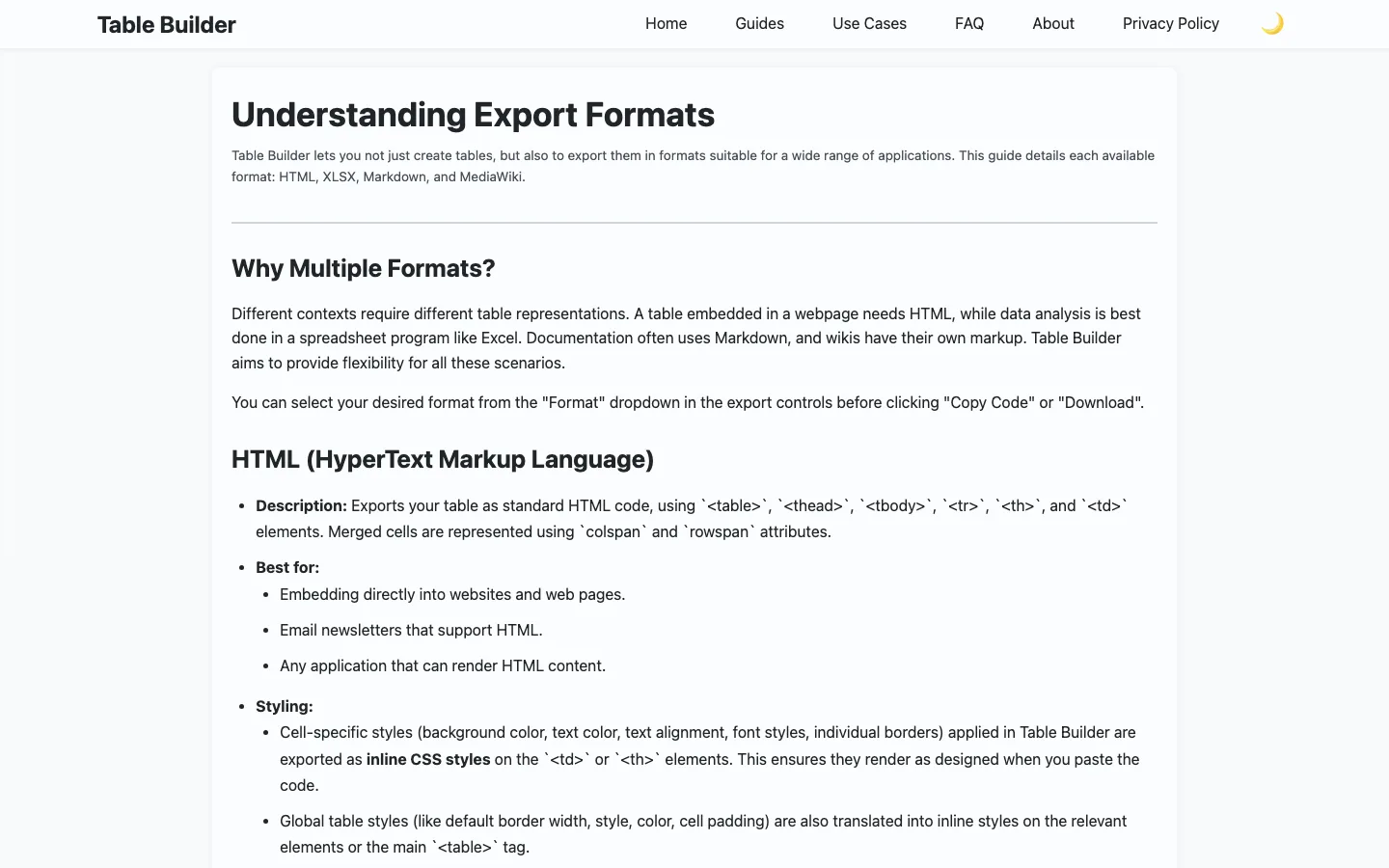
- Table Builder: the export formats, HTML, XLSX, Markdown and MediaWiki
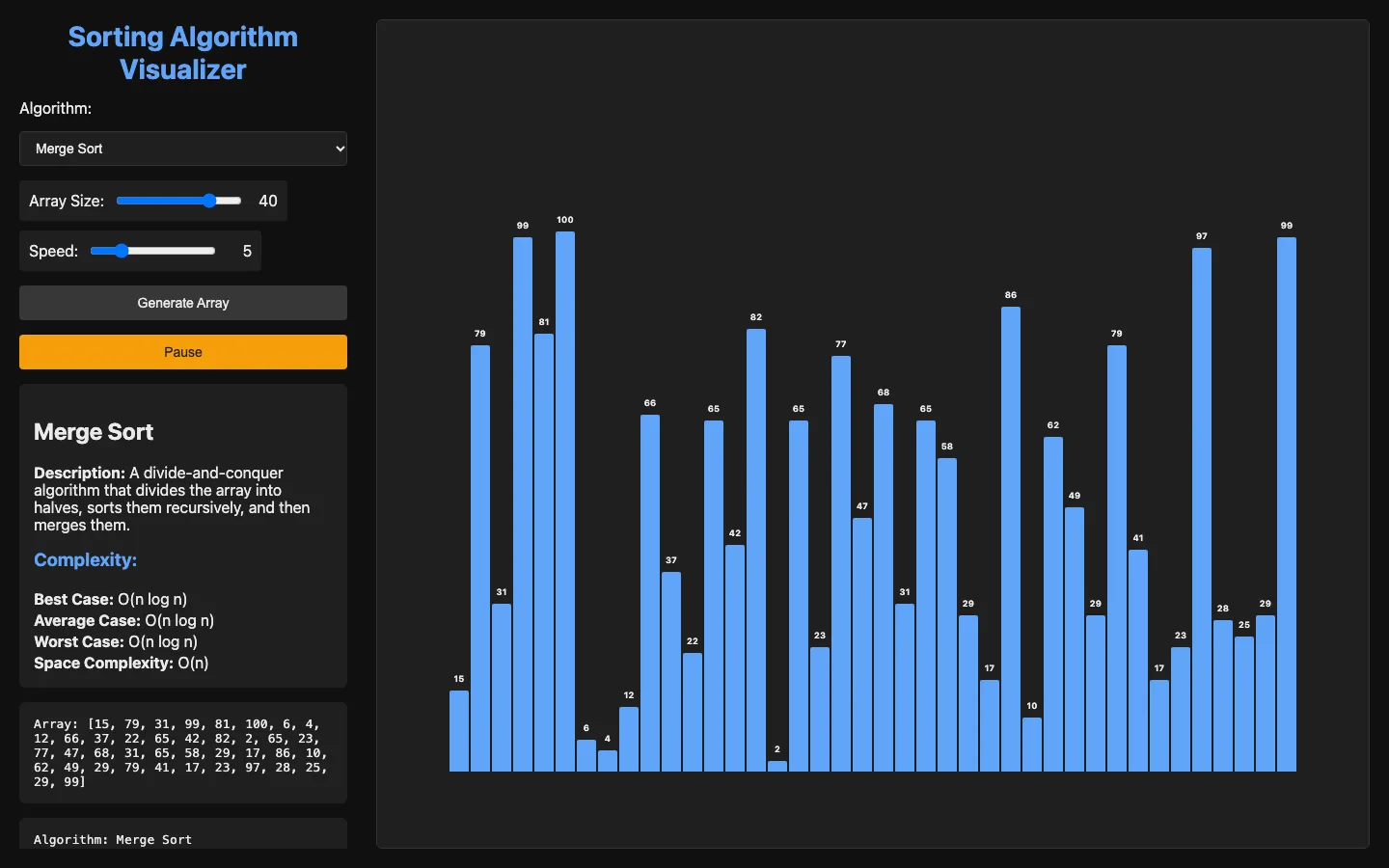
- Sorting Visualizer: merge sort, with the live array shown under the controls
Overview
Not every project needs a case study. These are the small ones: each started as a question I wanted to answer with code, shipped in a few evenings, and is still online. They share the same recipe as the bigger projects, a tiny Go server in front of a plain frontend, just with less around it.
Sorting Algorithm Visualizer 2024
Pick an algorithm, choose the array size and speed, and watch the bars rearrange themselves step by step. Comparisons and swaps are highlighted in different colours so you can see exactly what each algorithm is doing at any moment.
Eight algorithms are included: bubble, selection, insertion, quick, merge, heap, shell and cocktail shaker sort. Each one is written as a sequence of steps, which makes pausing, stepping and changing speed mid-run trivial: the UI simply asks for the next step when it is ready.
The whole interface is Alpine.js and plain CSS on top of a tiny Go server that minifies its own assets, which keeps it fast to load and easy to read for anyone studying the algorithms.
- Go
- Alpine.js
- HTML
- CSS
- tdewolff/minify
Table Builder 2025
Table Builder is a visual editor for tables: add and remove rows and columns, merge and split cells, and style the whole table or a single cell with colours, borders, alignment and fonts.
Once the table looks right it can be exported as HTML, Markdown, CSV, XLSX or MediaWiki markup, ready to paste into documentation, an email or a README.
The editor is a single Alpine.js component whose table model every export reads from. A merged cell is stored as colspan and rowspan on its top-left cell, XLSX is written with SheetJS, and copying uses the Clipboard API with an HTML fallback. A small Go server renders the pages and minifies the assets.
- Alpine.js
- SheetJS
- Go
- tdewolff/minify
Built with
- Go
- Alpine.js
- SheetJS
What I learned
- Generators are the natural way to make an algorithm pausable without rewriting it as a state machine.
- Alpine.js is enough for a page like the visualizer; a bigger framework would only add build steps.
- A single source of truth for the table made merged cells, the hardest part, tractable.
- Export formats disagree on what a table is; Markdown cannot merge cells at all, so the UI has to say so.
- Users wanted copy to clipboard far more than file downloads.